
Skip to content
Valentry

Platform architecture

One client record. Every workflow.

Valentry connects the daily command layer, practice operations, product-specific client service, documents, reporting, directories and configurable workflows without breaking the advice trail.
Overview
Dashboard · mailbox · diary
Practice
Clients · cases · renewals
Client Services
Products · services · ownership
Customise
Build · users · settings

Full module map

Wide enough for the whole practice. Precise enough for the next task.

Case management, AI analysis and the wider CRM modules that run the complete Valentry operating environment.

1Overview

Start every day with context.

Dashboard, mailbox and diary bring urgent work, meetings, cases, client queries and compliance attention into one operating view.

Dashboard
A priority-led view of open cases, approaching renewals, workload and urgent FICA or FAIS attention.
Mailbox
Connected Outlook or Google mailbox experience with messages and attachments kept close to the relevant client or case.
Diary
Upcoming meetings, open work, reminders, queries and calendar items in one planning view.
Notifications
In-product and important email notifications for assignment, information requests, analysis, reviews, reports and closure events.

2Practice

The commercial and operational core.

A complete view of clients and the work around them, with the filters, evidence, timing and management reporting a brokerage needs to scale.

Clients
Client 360 profiles linking identity, advisers, policies, cases, documents, compliance, activity and cross-sell opportunities.
Cases
Guided creation, drafts, unique case numbers, ownership, status, comments, information requests, reviews and closure.
Documents
A categorised vault for FICA, FAIS, policy schedules, wording, endorsements, quotations, valuations, claims history and supporting evidence.
Renewals
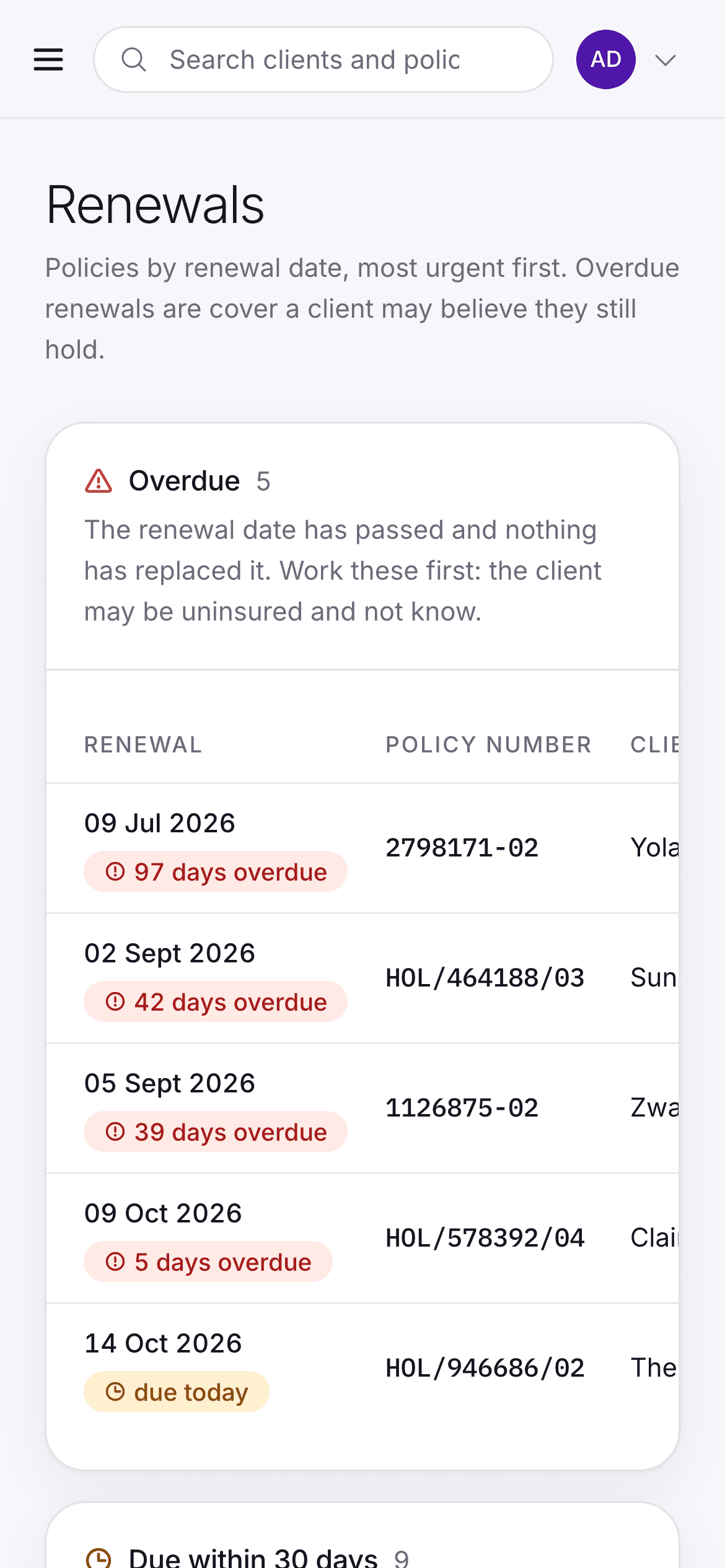
Daily countdown views across 30, 60 and 90-day horizons with readiness, ownership and missing-information signals.
Reporting
Filtered operational, client, compliance, workflow, adoption and management reporting from the data already in the platform.
Campaigns
A working canvas for strategies, segments, notes, lead tracking, feedback and performance.
CommissionsLive
Commission splits, tracking, variances and reconciliation in the same platform, reducing reliance on a separate tool.

3Client Services

A precise lane for every client request.

Teams can see all work together, then move into product and service-specific queues without losing the shared client context.

All cases
A single cross-product queue with search, saved views, ownership, priority, due dates, status and blockers.
Product-line queues
Dedicated views for life, invest, medical aid, gap, funeral, short-term and other configured product lines.
Service types and lines
Route each request to the exact service type and service line so work can be filtered and reported accurately.
Collaboration
Internal, organisation, reviewer or client-visible comments and information requests stay linked to the case.
Reviews and approvals
Reviewer decisions, quality scores, compliance concerns and notes stay attached to the correct analysis version.
Client portal
Clients can submit work, respond to information requests, follow progress, view approved results and download permitted reports.

4Add-ons

The expansion layer.

Valentry moves beyond record-keeping into intelligent assistance, workflow automation, digital signing and learning, all connected to the same client record.

Valentry AI Automation
Connected mailbox intake, document context, routing, task creation and communication preparation.
Valentry Chatbot
Tenant-aware assistance for practice data, approved reference material, product research and financial-services questions.
Valentry Sign
Signing workflow with review, reminders, status and signed files returned to the right client and case.
Valentry Train
Learning centre for products, sales, service, compliance and internal practice knowledge.

5Directory

The reusable knowledge of the practice.

Instead of scattering provider details, product knowledge, assets and communication material across folders, keep them accessible to the people who use them.

Insurers
Contact details, broker codes, departments, escalation routes and operational notes.
Team details
Employee and broker information, roles, product responsibilities and contact details.
Products
Product lines, providers, use cases and fit guidance.
Branding
Value propositions, letter-of-introduction material, approved assets and brand guidance.
Templates
Sales templates, welcome letters, touchpoints, service communications and approved client wording.

6Customise

Fit the platform to the practice.

Use role, organisation and workflow configuration to create a consistent operating model without forcing every brokerage into an identical process.

Build
Configure case types, dynamic fields, required documents, workflows, prompts, schemas and report mappings.
User creation
Create or invite users, associate organisations, assign roles and manage access.
Settings
Organisation branding, notification preferences, analysis settings, templates and operating rules.
Help
FAQs, contextual guidance, support routes and clear contact information.
Administration
Manage master data, prompts, schema versions, report templates and background processing.
Operational monitoring
Monitor document, analysis, report and notification jobs with appropriate retry and audit controls.

Search without losing context

The case view should answer a precise question in seconds.

Search and filtering are first-class: case number, client, policy, claimant, organisation, document, status, workflow, product, assigned user, dates, analysis status and report state.
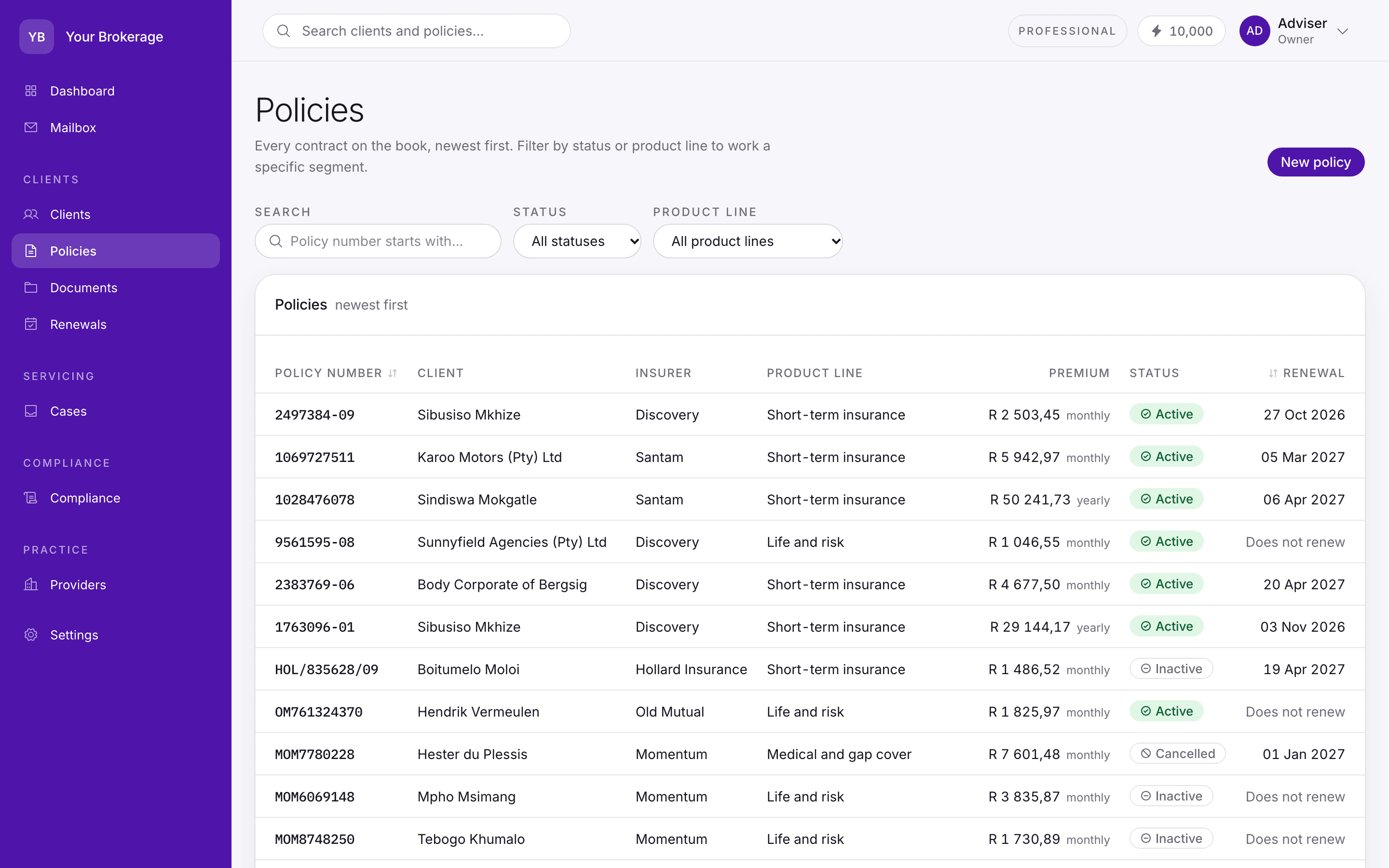
yourbrokerage.valentry.co.za/policies
The policy list, filterable by status and product line, with insurer, client, premium and renewal date.

Examples of real questions.

  1. 1

    Which commercial renewals are due in 30 days?

    Filter product line, case type, date horizon, owner and readiness.

  2. 2

    Which advice cases are waiting on the client?

    Filter status, information request, due date and assigned adviser.

  3. 3

    Which completed analyses do not have a final report?

    Combine analysis status, review state and report status.

  4. 4

    Where is compliance evidence incomplete?

    Use client, product, document category and FICA or FAIS flags.

11
Recommended case states, from Draft through Closed and Cancelled.
07
Core analysis states, with more detailed progress visible separately.
A saved view becomes an operating habit.
Teams should not rebuild the same filters every morning. Views become repeatable queues for advisers, administrators, reviewers and management.

Designed around roles

Everyone sees the work they are responsible for.

Standard users, reviewers and administrators have different responsibilities. The interface exposes the right controls without turning every user into a platform administrator.
Standard user

Capture, manage and complete client work.

Create cases, upload documents, track progress, view results, comment, respond to requests and generate permitted reports.

FocusThe client and assigned work

Reviewer

Control analysis quality and advice readiness.

Review documents and AI outputs, request information, approve or reject, record quality concerns and finalise permitted reports.

FocusJudgement, quality and evidence

Organisation & platform admin

Configure and govern the operating system.

Manage people, organisations, roles, workflows, prompts, schemas, report templates, credits, jobs, branding and audit visibility.

FocusConfiguration and control

Book a demo or start a trial

See your brokerage inside one operating system.

Bring your current process to the demo. We will show Valentry through the exact client, case, renewal, compliance and reporting questions your team deals with every day.

  • Purpose-built for insurance
  • Client data hosted in South Africa
  • Human-reviewed AI